"XL.Sheet.SetColumn" seems snot work as expected as for autofit / -1

Using MBS ( “XL.Sheet.SetColumn”; $book; $sheet; 0; $colLast; -1) (here: $colLast = 10) only seems to work in some cases.

  • When I export all records autofit does not work.
  • When I export some records autofit does work in some cases.
  • When I export some columns autofit does work in some cases.

What causes autofit to only work in some cases? Does the data coming from FileMaker need to be formatted in a certain way? I use XL.Sheet.CellWriteText for all rows.

Using Trial Version 4.2.0. according to the excel sheet, I downloadedLibXL for Mac 5.2.0 according to the download page.

This is in FileMaker with MBS Plugin?

I see setCol is defined to take -1 as width and auto fit.

@dmytro can check in code if there is a limit.

You could use our MBS Trace function to log the calls to a text file and check if you call XL.Sheet.SetColumn and with what values.

Yes, it is FileMaker 26.0.1.51 and MBS 16.3.0.07.

I’ll try MBS Trace.

It seems that I am closer to the reason: I used an older license of my colleague and tested it under Windows; there everything works fine.

  • Windows 11 Home 24H2
  • FM Pro 26.0.2.212
  • MBS 16.3.0.07
  • MBS ( “XL.Book.Version” ) 4.2.0.0

Under Mac with the trial license I have got problems:

  • macOS 15.7.7
  • FM Pro 26.0.1.51
  • MBS 16.3.0.07
  • MBS ( “XL.Book.Version” ) 5.2.0.1

Is there a possibility to try it with a licensed version of LibXL under macOS?

Thanks,

Michael Jupe
jupe@nordend.swiss

Michael,

unforuntately the Mac version doesn’t have access to operating system fonts, so the autofit feature on Mac is very limited and works only for Calibri and Arial fonts.

-- Dmytro

Thank you for your help. I tried these three cases:

  • not setting the font
  • setting the font to Calibri
  • setting the font to Arial

In all cases I receive an Excel document with the desired font (no font → Calibri) both on Mac and Windows. But Auto Fit again works only on Windows. Example:

Set Variable [ $SchriftNormal; Value:MBS( "XL.Book.AddFont"; $book) ]

Set Variable [ $r; Value:MBS( "XL.Font.SetName"; $book; $SchriftNormal; "Arial") ]

Is there another, more “general” way of setting the fonts of the whole document to Calibri or Arial?

Michael, could you share your complete working example code? Please make it as short as possible.

Well, could you maybe do the measurement anyway with Arial, even if a different font was selected?
And I’ll send you code in C++ to measure.

Also please note that the Auto Fit feature won’t work properly for all cells if your LibXL works in the trial mode. Just write an empty workbook, open it in Excel and check the trial banner at the first row.
Thank you very much, your help is highly appreciated.

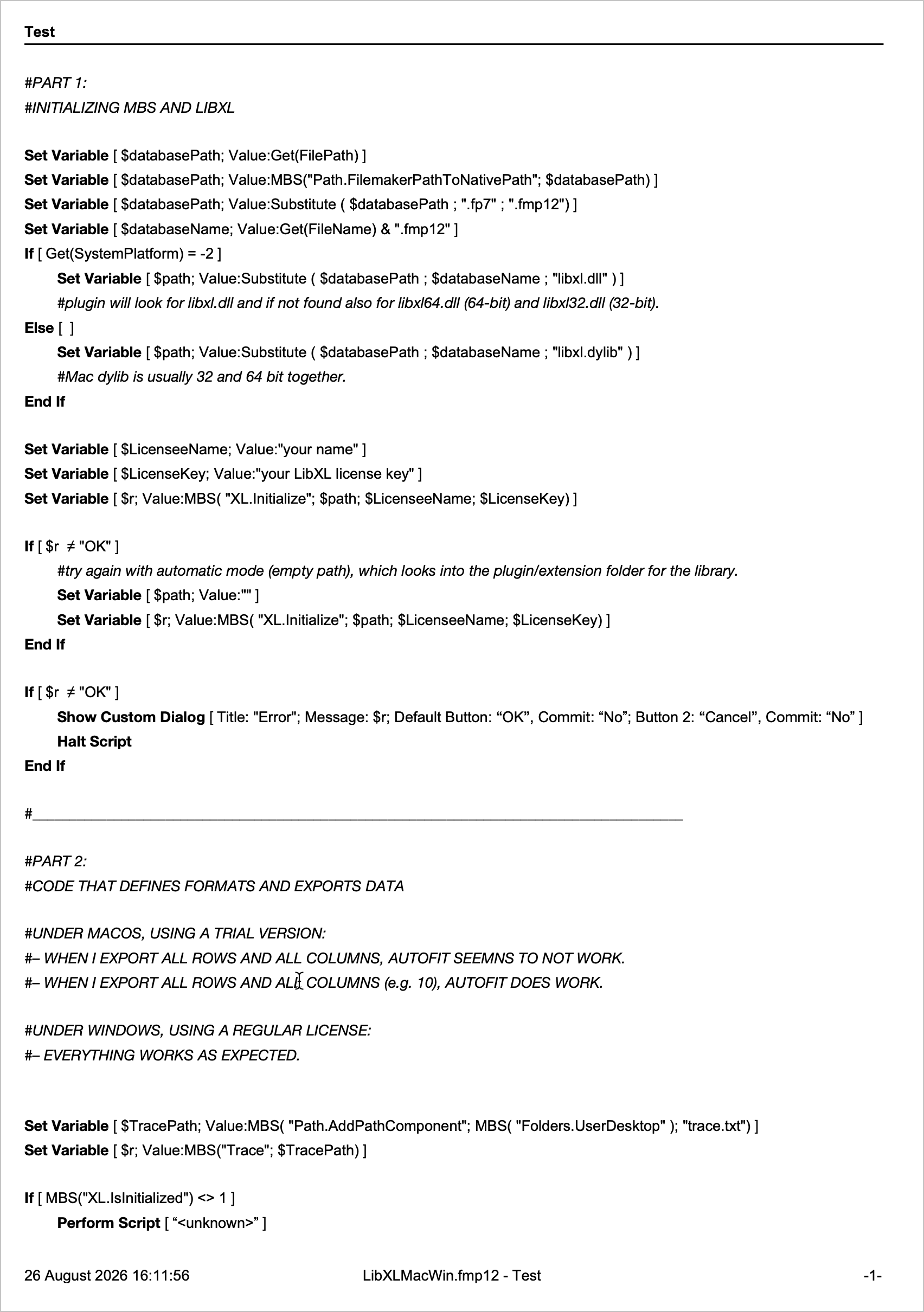
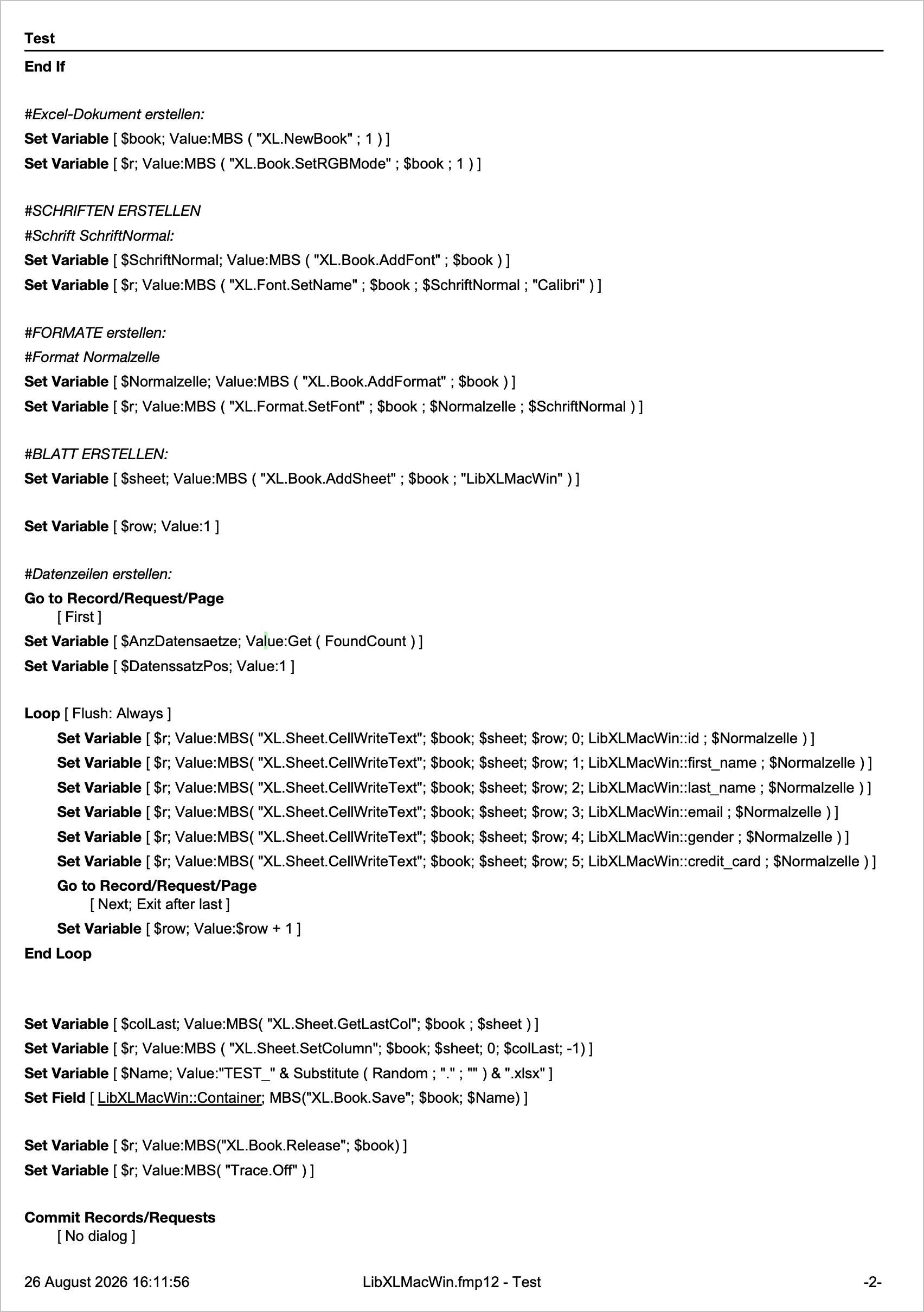
The Code is below, as a printout. I am not sure if this is helpful for you. When I paste FileMaker code it seems to not work.

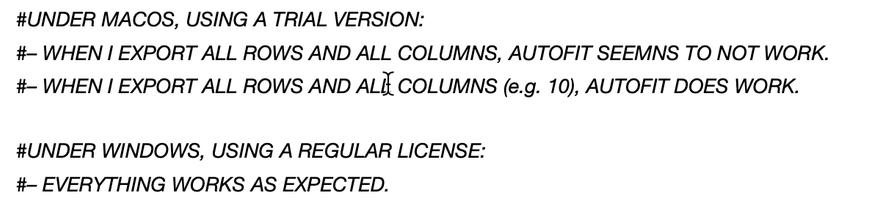
I tried it again, under macOS, with just a few records AutoFit works, with all of them it does not. Under Windows everything works fine.

But did I understand correctly: AutoFit under macOS with a paid license does work as expected?

Michael, you answered yourself where the reason is. You should use the full version for Mac as well.

1 Like

Thank you very much for your efforts. I was not aware that the unpaid version had this restriction.

1 Like